Usage in command line (CLI)
installation
Since nonos v0.19.0, nonos-cli is a separate package, which is not installed
alongside the library by default. You can request it separately with pip install nonos-cli,
although note that the recommended approach is to use a tool installer such
as uv (uv tool install nonos-cli) or pipx (pipx install nonos-cli).
The nonos CLI gets its parameters from three sources:
- command line parameters
- a configuration file
- default values
Priority
Command line parameters take priority over the configuration file, which itself takes priority over default values.
To get help, run
This will give an idea of the current possibilities provided by nonos.
API
To have more control on the operations and plots you want to make, use the API
Command line parameters
In order to use the CLI, you need to do nonos followed by one or several arguments. We introduce some important arguments in the following subsections.
Type of output
-d: open a graphic window with the plot (only works with a single image)-fmt FORMAT: save the output image in the selected file format (can be png, pdf, ...)-dpi DPI: image file resolution (default: 200)
Field and output number
-field FIELD: What field do you want to visualize ? [ex:RHO(default),VX1,BX3, ...]-on ONor-all: Either for one specific file (can be interactive or saved in a file), a range of files (start, end, [step]), or for all files in the working directory (only saved in a file).
Example (idefix, 2D, polar \(R\)-\(\phi\))
nonos -field VX1 -on 0 -d: will open the file data.0000.vtk and display a slice in the midplane of the radial velocity.
Log and diff
-log: compute the common logarithm (log10) of the field \(f\), i.e. \(\log(f)\)-diff: compute the relative perturbation of the field (compared to the initial conditiondata.0000.vtk) \(f\), i.e. \(\displaystyle\frac{(f-f_0)}{f_0}\)
Example (idefix, 2D, polar \(R\)-\(\phi\))
nonos -log -all: will open all the VTK files in the directory and save the log of the density in the midplane in PNG format.
Operation
The -operation (or -op) command allows you to choose what operation is applied to the data, and can be paired with -z, -theta, -phi, or -distance depending on the operation.
| API function | corresponding CLI argument |
|---|---|
latitudinal_projection(theta) |
-op lp [-theta THETA] |
vertical_projection(z) |
-op vp [-z Z] |
vertical_at_midplane() |
-op vm |
latitudinal_at_theta(theta) |
-op lt [-theta THETA] |
vertical_at_z(z) |
-op vz [-z Z] |
azimuthal_at_phi(phi) |
-op ap [-phi PHI] |
azimuthal_at_planet(planet_number) |
-op apl -corotate COROTATE |
azimuthal_average() |
-op aa |
radial_at_r(distance) |
-op rr [-distance DISTANCE] |
radial_average_interval(vmin,vmax) |
- |
remove_planet_hill(planet_number) |
- |
Example (idefix, 3D, polar \(R\)-\(\phi\)-\(z\))
nonos -on 5 -field BX3 -diff -op aa -fmt pdf: will open the file data.0005.vtk, and perform an azimuthal average of the relative perturbation of the vertical component of the magnetic field \(B_z\) before saving it in a PDF file.
Chain the operations
You can cumulate some operations, like -op lp aa.
Plane
The -plane argument is based on the map("XDIR","YDIR") function. Depending on the native geometry of the data and the target geometry of the visualization, you may choose various values for the -plane argument.
Examples (idefix, 3D, polar \(R\)-\(\phi\)-\(z\))
-
nonos -d -on 0 -log -op vp -z 0.1-plane x y
Vertical projection of the logarithm of the density -
nonos -d -on 0 -log -op vp -z 0.1-plane R phi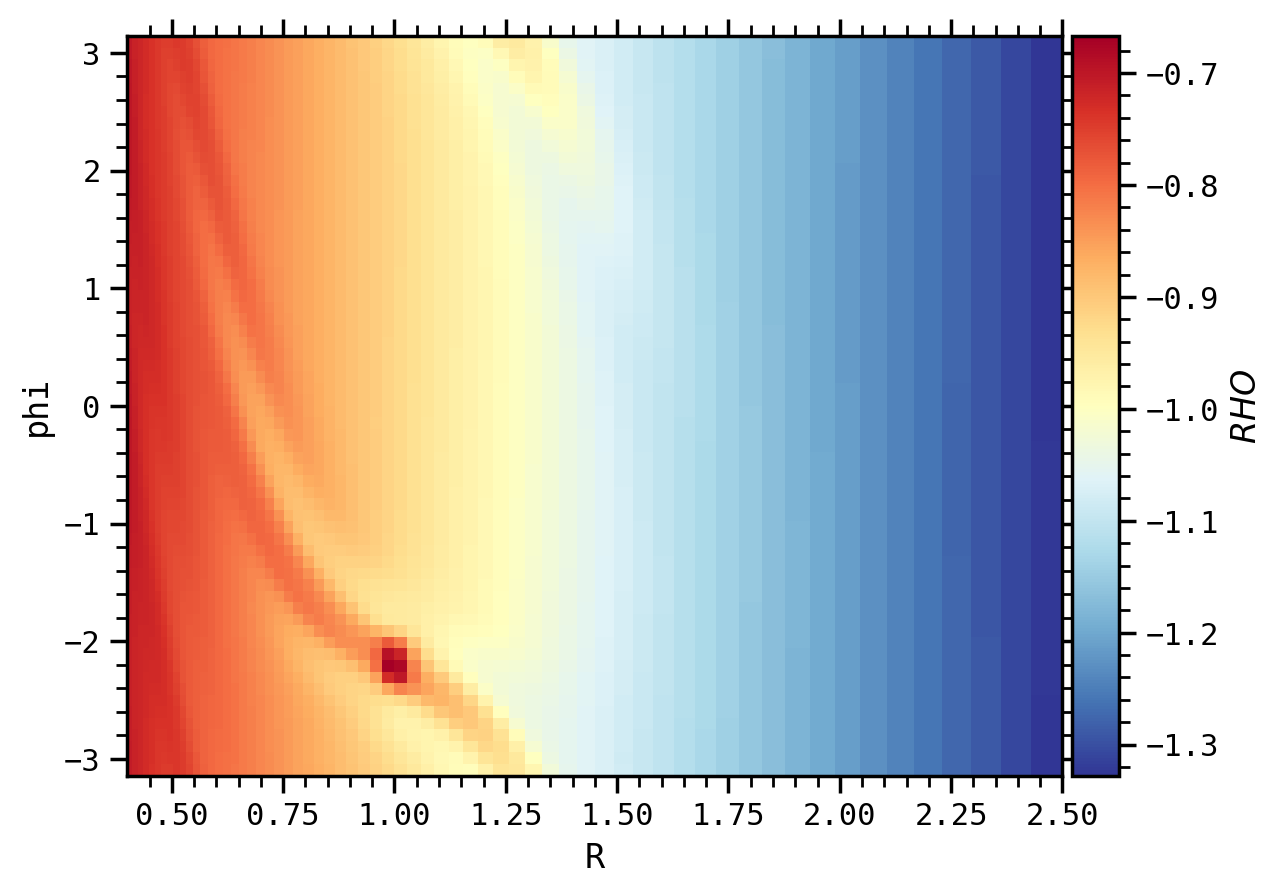
Vertical projection of the logarithm of the density nonos -d -on 0 -log -op vp -z 0.1-plane phi R
Vertical projection of the logarithm of the density nonos -d -on 0 -log -op apl -corotate 0-plane R z
Logarithm of the density at the planet azimuth nonos -d -on 0 -log -op apl -corotate 0-plane theta r
Logarithm of the density at the planet azimuth
Warning
Some target geometries may not be possible, or may not yet be implemented, or may give strange results. If so, try another one to check the result or use the API instead.
Some other arguments
Reference example (idefix, 2D, polar \(R\)-\(\phi\))
nonos -on 23 -diff -plane x y
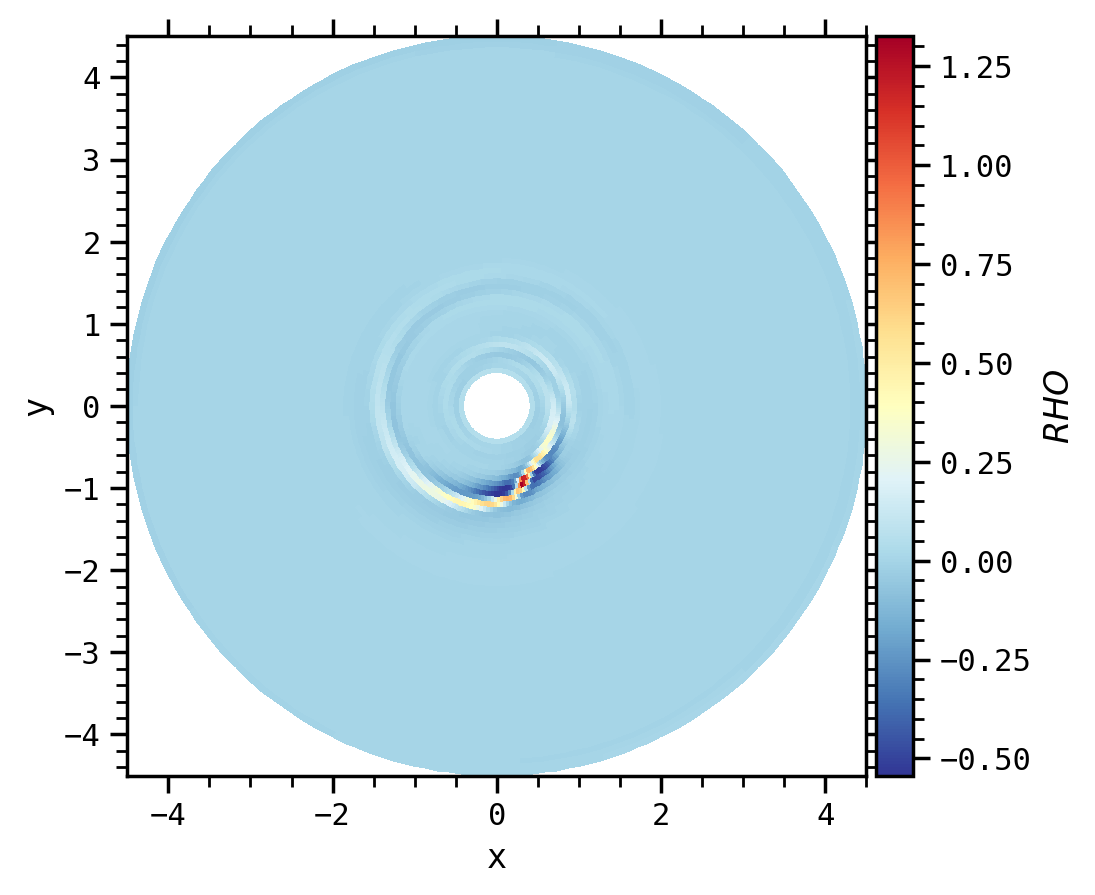
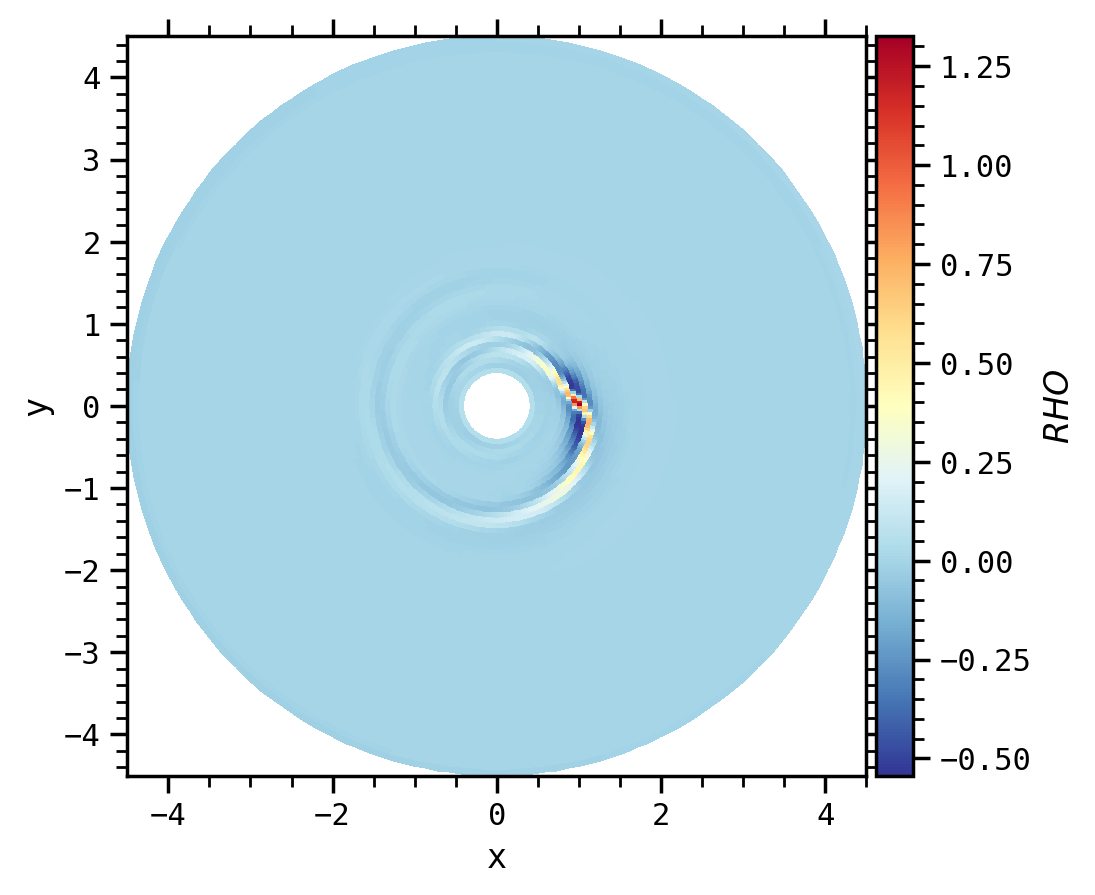
-corotate COROTATE: planet number that defines with which planet the grid corotates.
Comparison (idefix, 2D, polar \(R\)-\(\phi\))
nonos -on 23 -diff -plane x y -corotate 0
-range x x x x: range of matplotlib window
Comparison (idefix, 2D, polar \(R\)-\(\phi\))
nonos -on 23 -diff -plane x y -range x x -2 0 will perform a zoom in the y-axis

-vmin VMINand-vmax VMAX: min and max values of the field
Comparison (idefix, 2D, polar \(R\)-\(\phi\))
nonos -on 23 -diff -plane x y -vmin -0.5 -vmax 0.5

-cpu NCPUor-ncpu NCPU: compute and save multiple images in parallel. You can also use-pbarto display a progress bar
Example (idefix)
nonos -on 0 6 2 -cpu 2 -pbar will produce 4 PNG files corresponding to ON = 0, 2, 4, 6 with 2 processors, and displaying a progress bar.
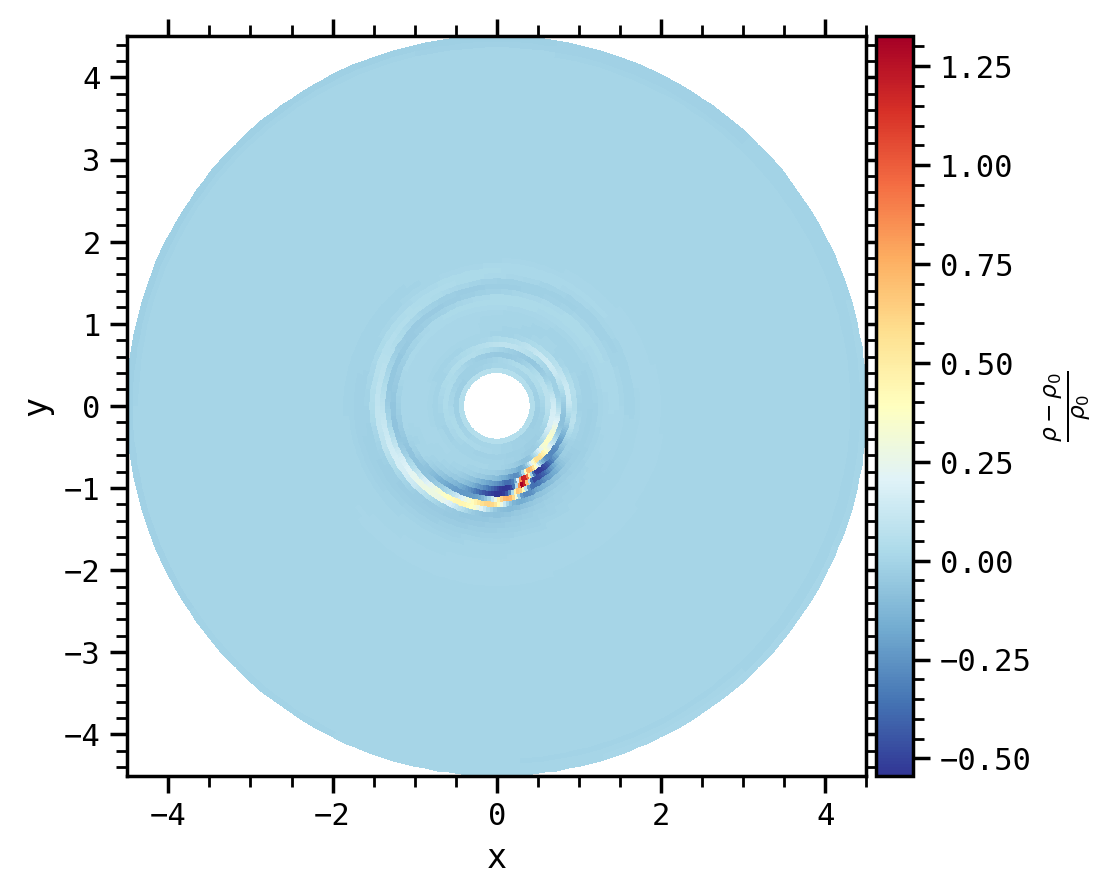
-title TITLE: name of the field in the colorbar
Comparison (idefix, 2D, polar \(R\)-\(\phi\))
nonos -on 23 -diff -plane x y -title "\frac{\rho-\rho_0}{\rho_0}"
-cmap CMAP: choice of the colormap
Comparison (idefix, 2D, polar \(R\)-\(\phi\))
nonos -on 23 -diff -plane x y -cmap inferno will perform a zoom in the y-axis

-scaling: scale the overall sizes of features in the graph (fonts, linewidth...)
Comparison (idefix, 2D, polar \(R\)-\(\phi\))
nonos -on 23 -diff -plane x y -cmap inferno -scaling 1.2
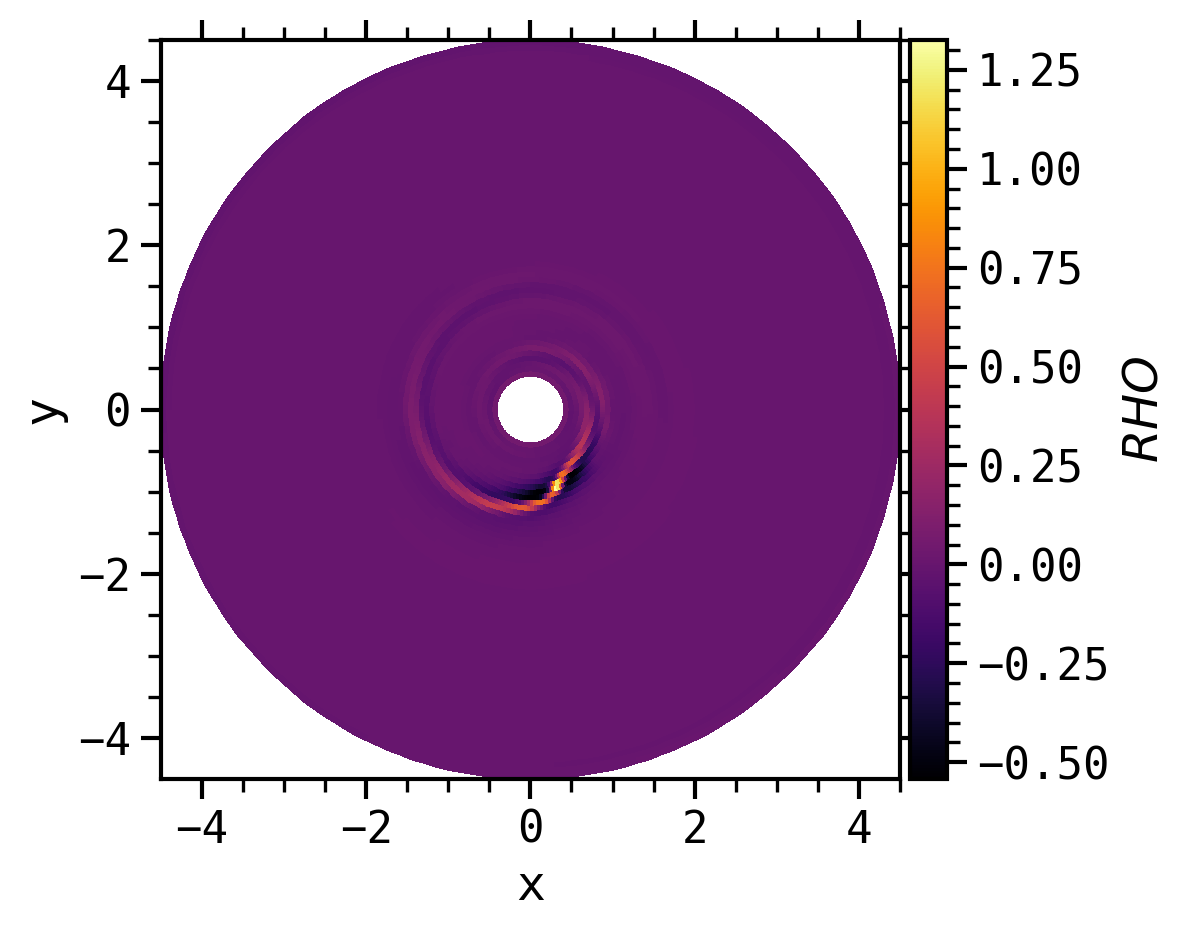
-dir DATADIR: location of output files and param files
Old outputs
For old idefix outputs, or if the geometry of the outputs is not recognized, you will need to add the -geometry command to process the data.
Configuration file
The CLI will read parameters from a local file named nonos.ini if it exists,
or any other name specified using the -i/-input parameter.
To ignore any existing nonos.ini file, use the -isolated flag.
One way to configure nonos is to use
which prints the current configuration to stdout. You can then redirect it to get a working configuration file as
This method can also be used to store a complete configuration file from command line arguments: As of nonos 0.19.0 + nonos-cli 0.1.0, this will print# Generated with nonos 0.19.0 + nonos-cli 0.1.0
datadir .
field RHO
operation vm
theta unset
z unset
phi unset
distance unset
geometry unset
on unset
diff True
log False
range unset
vmin -1e1
vmax 1e2
plane unset
progressBar False
corotate unset
ncpu 8
scaling 1
cmap viridis
title unset
unit_conversion 1
format unset
dpi 200